

Managing your vehicle's maintenance history on paper is a gamble. Receipts fade, service records get lost, and when it's time to sell or diagnose a recurring issue, you're left scrambling through glove box clutter. Digital recordkeeping transforms this chaos into an organized, searchable system that protects your investment and simplifies every aspect of car ownership. This guide shows you exactly how to build and maintain a comprehensive digital maintenance log that works for any vehicle type.
Table of Contents
- Key Takeaways
- What you need to start digital car recordkeeping
- Step-by-step guide to logging your vehicle's digital records
- Troubleshooting common challenges and expert tips
- How AutoManual simplifies digital car recordkeeping
- FAQ
Key Takeaways
| Point | Details |
|---|---|
| Core data fields | Record date, odometer, tasks, parts, service provider, cost, and notes for every service to create a complete, searchable history. |
| Cloud backups | Cloud synchronization protects records from device loss and enables offline access when needed. |
| OEM manuals and diagnostics | Integrate manufacturer manuals and diagnostic apps to add context and document dealer and DIY maintenance. |
| Multi vehicle tracking | Use a multi vehicle capable app to monitor each car separately and track total ownership costs. |
| Useful app features | Prioritize features such as customizable categories, photo attachments, fuel tracking, cost analysis, and easy history sharing. |
What you need to start digital car recordkeeping
Before logging your first maintenance entry, gather the right tools and understand what data matters most. Effective digital recordkeeping starts with capturing essential maintenance fields that create a complete picture of your vehicle's care history.
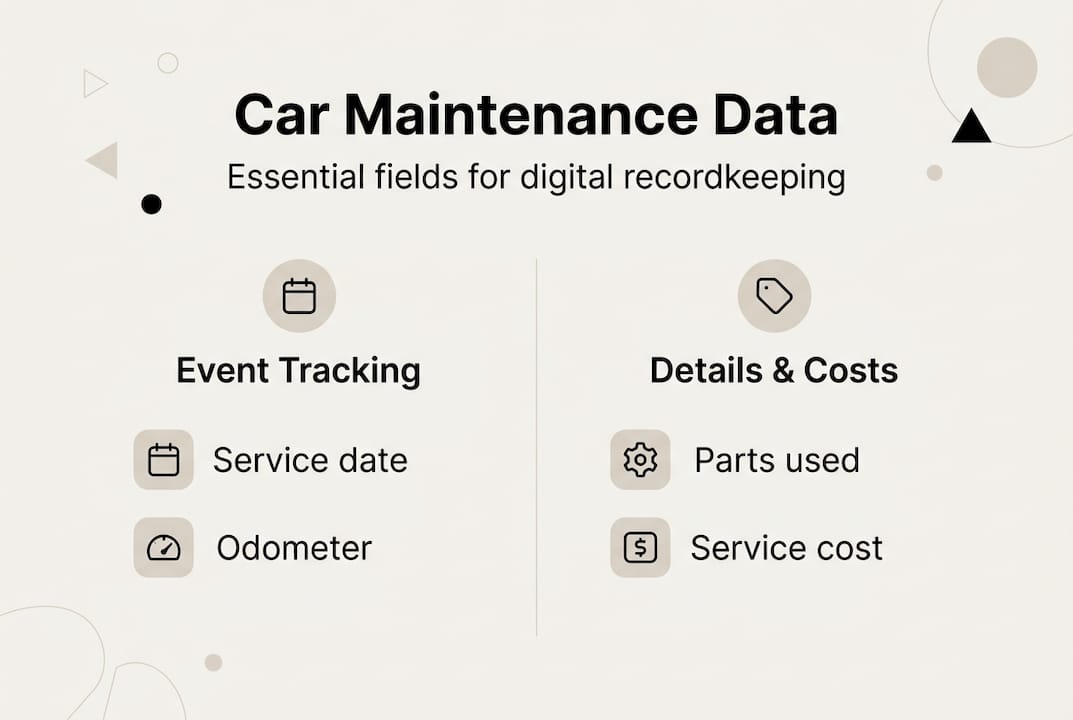
Your digital system needs to track six core data points for every service event. Record the exact date, current odometer reading, specific tasks performed, parts replaced, service provider name, and total cost. Include a notes field for observations like unusual sounds, warning lights, or mechanic recommendations. This structure turns scattered receipts into a searchable timeline that reveals patterns and helps diagnose recurring issues.
Choosing the right app makes consistent logging effortless. Apps like MyAutoLog, Loggy, and Simply Auto offer smart features that paper logs can't match. Look for automatic reminders based on mileage or time intervals, support for tracking multiple vehicles under one account, and the ability to export complete histories as PDF files. These tools sync across devices, so your records stay current whether you're at the mechanic's shop or reviewing maintenance costs at home.
Cloud backup capability is non-negotiable. Your maintenance history represents years of vehicle care, and storing it only on one device creates unnecessary risk. Apps with automatic cloud sync protect against phone loss, hardware failure, or accidental deletion. Offline access ensures you can view records even without internet connectivity, essential when you're at a remote service station or showing documentation to a potential buyer.
Integrating manufacturer resources adds valuable context to your logs. Keep digital copies of your owner's manual and factory maintenance schedule accessible within your recordkeeping system. Many modern vehicles connect to OEM apps that automatically log dealer services, creating a foundation you can supplement with independent shop work and DIY maintenance. Diagnostic apps that read OBD-II codes help you document specific issues and their resolutions, building a technical narrative that mechanics and future owners appreciate.
Pro Tip: Set up digital car profile tools to automatically pull your vehicle's technical specifications and recommended maintenance intervals. This eliminates guesswork about service timing and ensures you're following manufacturer guidelines.
Multi-vehicle households need apps designed for fleet management. The best platforms let you switch between vehicles instantly, set unique maintenance schedules for each, and track total ownership costs across your garage. This becomes especially valuable for families managing different service intervals for a daily commuter, weekend sports car, and aging project vehicle.
Essential app features to prioritize:
- Customizable maintenance categories for oil changes, tire rotations, inspections, and repairs
- Photo attachment capability for receipts, work orders, and before/after documentation
- Fuel economy tracking to identify efficiency changes that signal mechanical issues
- Cost analysis tools that break down spending by category and time period
- Sharing functionality to email or text complete service histories
Step-by-step guide to logging your vehicle's digital records
Consistent data entry transforms a maintenance app from a digital filing cabinet into a powerful management tool. The key is building a habit of immediate logging, capturing information while details are fresh and receipts are in hand.

Start by entering your vehicle's baseline information. Input the VIN, make, model, year, and current odometer reading to establish your starting point. If you have historical records, dedicate time to backfilling major services from the past two years. This creates context for future entries and helps identify maintenance patterns. Don't worry about capturing every oil change from five years ago, focus on significant repairs, part replacements, and recurring services that define your vehicle's care history.
Follow this workflow after every service or fuel fillup:
- Open your maintenance app immediately after leaving the shop or gas station
- Photograph the receipt or invoice before it fades or gets lost
- Enter the service date and current odometer reading
- Select or create the maintenance category (oil change, brake service, tire rotation)
- Input the service provider name and total cost
- Add specific details in the notes field, including part brands, fluid types, or mechanic observations
- Attach the receipt photo to the entry for verification
- Set the next service reminder based on time or mileage intervals
Smart reminder systems prevent missed maintenance that can void warranties or cause expensive failures. Configure alerts for routine services like oil changes every 5,000 miles or tire rotations every six months. Set calendar reminders for annual inspections, registration renewals, and seasonal maintenance tasks. The best apps send push notifications as deadlines approach, giving you time to schedule appointments rather than reacting to emergencies.
Pro Tip: Use voice-to-text features to capture detailed notes while memories are fresh. Dictate observations about how the car feels, sounds, or performs right after service to create a rich narrative that helps identify subtle changes over time.
Managing multiple vehicles requires strategic organization. Create separate profiles for each car with distinct maintenance schedules and cost tracking. Use tags or color coding to quickly identify which vehicle needs attention. This system proves invaluable for households where different family members drive different cars, ensuring nothing falls through the cracks.
DIY maintenance deserves the same documentation rigor as professional services. Log every oil change, filter replacement, or fluid top-off you perform yourself. Include part numbers, brands, and purchase locations to maintain continuity if you switch back to shop services. Upload photos of your work, especially for complex repairs that future mechanics might need to understand. This documentation proves especially valuable for warranty claims or when selling to buyers who appreciate hands-on ownership.
Exporting your maintenance history creates versatile documentation for multiple scenarios. Generate PDF reports when listing your vehicle for sale, providing buyers with verifiable proof of consistent care. Share complete service timelines with new mechanics to help them understand your vehicle's history and avoid redundant diagnostics. Keep exported files in multiple locations, your phone, email, and cloud storage, ensuring you never lose access to this valuable documentation.
Integrate fuel tracking to spot efficiency changes that signal mechanical problems. Log every fillup with odometer reading, gallons purchased, and cost per gallon. Digital car vault platforms calculate fuel economy automatically, alerting you to drops that might indicate engine issues, tire problems, or aerodynamic damage. This data becomes especially valuable for EVs, where charging patterns reveal battery health trends.
Troubleshooting common challenges and expert tips
Even well-intentioned recordkeeping systems face obstacles that can undermine their value. Understanding common pitfalls and implementing solutions keeps your digital maintenance history accurate and useful.
Incomplete records create gaps that reduce buyer confidence and complicate diagnostics. The most frequent cause is forgetting to log services immediately after they occur. Combat this by setting a phone reminder to open your maintenance app every time you visit a gas station or service center. Make logging as automatic as checking your mirrors before driving. Cloud sync protects against the second major risk, device loss or failure. Choose apps that backup automatically to cloud storage, ensuring your years of documentation survive phone upgrades or accidental deletions.
Electric vehicle owners face unique recordkeeping challenges that traditional apps don't always address. Beyond standard maintenance like tire rotations and cabin air filters, EVs require tracking charging patterns, battery health metrics, and high-voltage system services. Document every software update, as these can affect range, performance, and charging behavior. Log charging session data including location, speed (Level 1, 2, or DC fast), and energy added. Complete EV service history significantly impacts resale value, with documented care adding 10-20% while gaps can reduce prices by 5-30%.
Common recordkeeping problems and solutions:
- Shops only provide partial digital records: Request detailed invoices and manually log services they don't track, like tire pressure checks or fluid top-offs
- DIY work goes undocumented: Treat self-service with the same rigor as professional work, logging parts, costs, and procedures immediately
- Multiple family members service vehicles: Share app access or establish a single point person responsible for all maintenance logging
- Historical records are incomplete: Focus forward rather than backward, start comprehensive logging today and backfill only major services
- App features overwhelm new users: Begin with basic date, mileage, and service type entries, then add complexity as habits solidify
Exporting formats matter more than most owners realize. Screenshots look unprofessional and can be easily manipulated, reducing buyer trust. Professional PDF exports with timestamps and chronological organization carry more weight. The best apps generate reports that look like official service records, complete with your vehicle's specifications, service timeline, and cost summaries. These documents integrate seamlessly into sales listings and provide mechanics with actionable history.
"Buyers pay premium prices for vehicles with documented maintenance histories because they're buying confidence, not just a car. Complete digital records eliminate the biggest risk in used car purchases, uncertainty about how the vehicle was cared for."
Building sustainable logging habits requires removing friction from the process. Enable your app's location-based reminders to prompt logging when you arrive home from service appointments. Use receipt scanning features that auto-populate fields like date, vendor, and cost, reducing manual data entry. Schedule a monthly review session to verify all services are logged and upcoming maintenance is scheduled. This 10-minute investment prevents gaps and keeps your system current.
Independent and DIY enthusiasts often struggle when shops refuse to provide detailed digital records. Solve this by requesting itemized invoices that break down labor, parts, and specific tasks performed. Photograph work orders before leaving the shop. For DIY projects, take before and during photos that document the work scope and quality. These visual records supplement text entries and provide verification that appeals to potential buyers.
Maximize resale value by treating your maintenance log as a marketing asset. Organize records chronologically with clear categories for routine maintenance, repairs, and upgrades. Highlight major services like timing belt replacements, transmission services, or suspension overhauls that represent significant value. Calculate and display total maintenance investment to demonstrate your commitment to vehicle care. Offer to transfer your complete digital history to the new owner, providing them with a foundation for continued recordkeeping.
Pro Tip: Use manual log entry tips to standardize your documentation format across all vehicles and service types. Consistent structure makes your records more professional and easier for buyers or mechanics to interpret quickly.
How AutoManual simplifies digital car recordkeeping
Managing comprehensive vehicle records across multiple cars, service providers, and years of ownership creates complexity that generic apps struggle to handle. AutoManual's digital car profile and vault consolidates everything into a unified platform designed specifically for car enthusiasts and multi-vehicle households.
The platform automatically pulls factory specifications, maintenance schedules, and recall information using your VIN, eliminating manual research. Cloud backup ensures your records survive phone upgrades and device failures. Multi-vehicle support lets you track an entire garage from one account, perfect for families or collectors managing different service intervals and ownership histories.
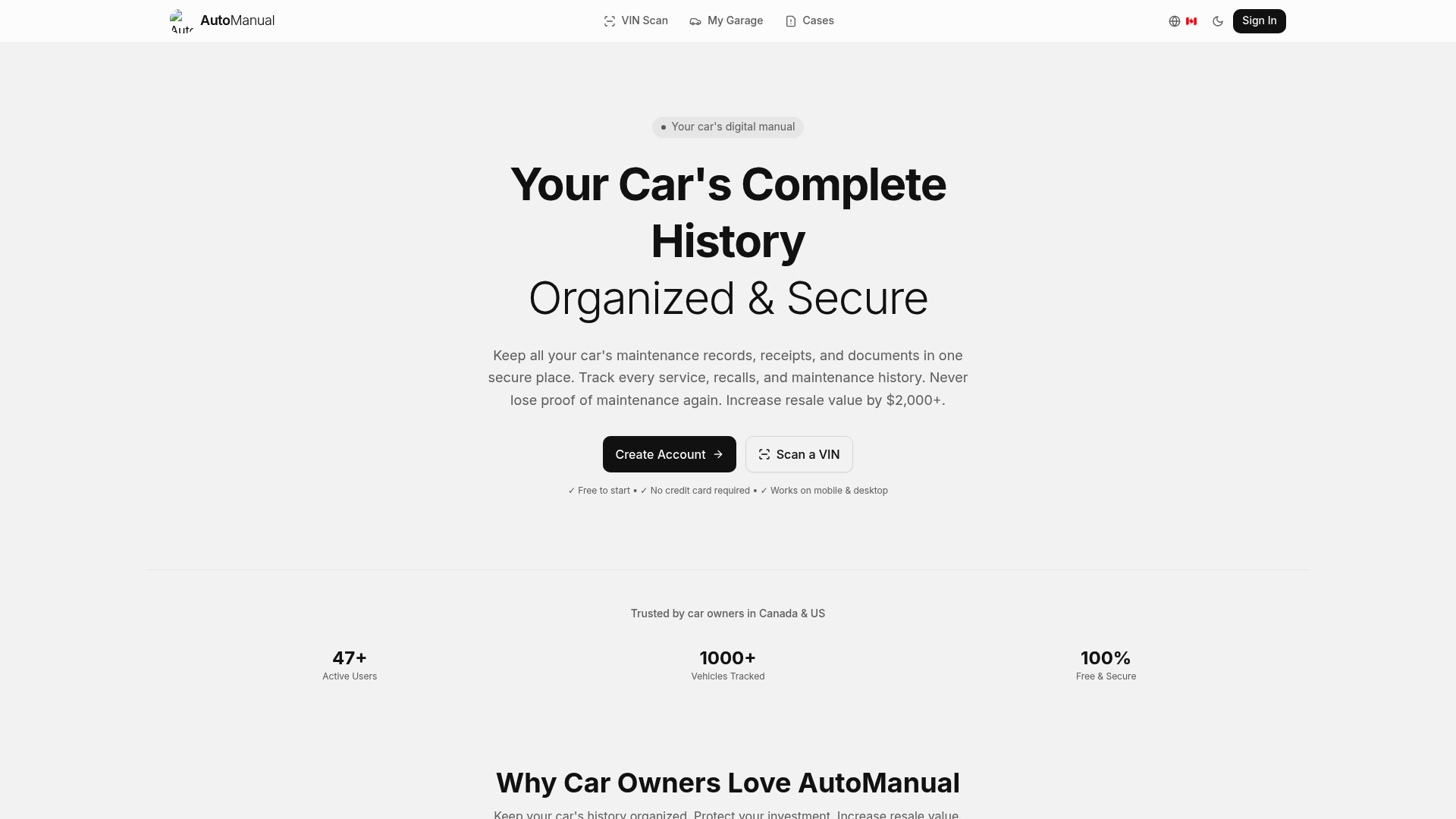
DIY enthusiasts benefit from tools that let you log self-performed maintenance with the same detail as professional services. Upload photos, attach receipts, and create comprehensive documentation that proves your hands-on care. When it's time to sell, export professional PDF reports that showcase your vehicle's complete history, helping you command premium prices by eliminating buyer uncertainty about past care.
Share verifiable maintenance timelines with mechanics to avoid redundant diagnostics, or provide complete histories to dealerships during trade-in negotiations. Car profile scan tools help you maintain organized, accessible records that protect your investment and simplify every aspect of vehicle ownership.
FAQ
How do I ensure accuracy in my digital car records?
Update records immediately after every service while details are fresh and receipts are available. Cross-reference your logs with OEM digital history when possible, as many manufacturers now track dealer services automatically. Enable cloud sync to prevent data loss and periodically review entries for completeness, verifying that dates, mileage, and costs are correct.
Can I include DIY repairs and maintenance in digital records?
Absolutely, and you should. Logging DIY work creates a complete service history that's especially valuable when shops don't track routine tasks like fluid top-offs or air filter changes. Use apps with manual entry and photo upload features to document your work with the same detail as professional services. Include part numbers, brands, and procedures to help future mechanics understand your vehicle's history. Check manual record entry advice for formatting tips that make DIY logs look professional.
What features should I look for in a car maintenance app?
Prioritize cloud sync to protect against data loss, reminder notifications based on mileage or time intervals, and multi-vehicle support if you manage more than one car. Export capabilities are essential for creating shareable PDF reports when selling or switching mechanics. Offline access ensures you can view records anywhere, while integration with diagnostic tools adds technical context that helps identify patterns. Recommended car maintenance apps typically include these core features plus photo attachment and cost analysis tools.
How far back should I log historical maintenance records?
Focus on the past two to three years for routine services and any major repairs or component replacements regardless of age. Timing belt changes, transmission services, suspension overhauls, and engine work from five or more years ago still add value to your history. Don't stress about capturing every oil change from a decade ago, buyers care most about recent consistency and documentation of significant work. Start comprehensive logging today and backfill strategically rather than attempting perfect historical reconstruction.
Does a complete maintenance history really increase resale value?
Yes, significantly. Documented service history can boost resale value by 10-20% because it eliminates the biggest risk in used car purchases, uncertainty about past care. Buyers pay premium prices for confidence that a vehicle was maintained properly and consistently. Conversely, gaps or missing records can reduce offers by 5-30% as buyers discount for unknown maintenance history and potential hidden problems. Digital records with timestamps and professional formatting carry more weight than handwritten logs or scattered receipts.